
How to Automate Business Credit Card Receipts and Reconciliation
To automate business credit card receipts and reconciliation, connect your card feed directly to expense management software, capture receipts via mobile OCR, set up automated matching rules, and sync to your accounting platform (Xero, QuickBooks, or similar). Most UK businesses can get this working in a day or two.

Quick answer
To automate business credit card receipts and reconciliation, connect your card feed directly to expense management software, capture receipts via mobile OCR, set up automated matching rules, and sync to your accounting platform (Xero, QuickBooks, or similar). Most UK businesses can get this working in a day or two. The result is fewer manual entries, faster month-end close, and a clear audit trail without chasing staff for paper receipts.
Key takeaways
- Automated receipt capture uses OCR to pull merchant name, date, and amount from a photo, no manual typing needed
- Direct card feeds import transactions automatically, so reconciliation starts before anyone opens a spreadsheet
- Matching rules pair receipts to card charges and flag exceptions, rather than treating every transaction as a manual task
- Most small UK businesses can access entry-level automation tools for under £20 per user per month
- Virtual cards make reconciliation faster because each card can be assigned to a specific project, supplier, or team member
- Missing receipts become exceptions to resolve, not a routine admin problem
- Automation works across multiple business credit cards simultaneously
- The right card matters: higher limits, spend controls, and virtual card support make automation significantly easier
What Is Credit Card Receipt Automation and Why Do You Need It

Credit card receipt automation is the process of capturing, categorising, and matching expense receipts to card transactions without manual data entry. Instead of staff emailing PDFs or stuffing paper receipts in envelopes, software handles the extraction and matching automatically.
For UK limited companies and SMEs, the case is straightforward. Every month-end, finance teams spend hours reconciling card statements against receipts that are incomplete, mislabelled, or simply missing. HMRC requires businesses to keep records of business expenses, and a missing receipt isn't just an admin inconvenience, it's a potential VAT reclaim problem. Automated systems turn that monthly scramble into a continuous, mostly hands-off process.
If your team is still forwarding receipts by email or manually entering card transactions into a spreadsheet, you're carrying a cost that compounds every month.
What's the Difference Between Receipt Automation and Manual Reconciliation
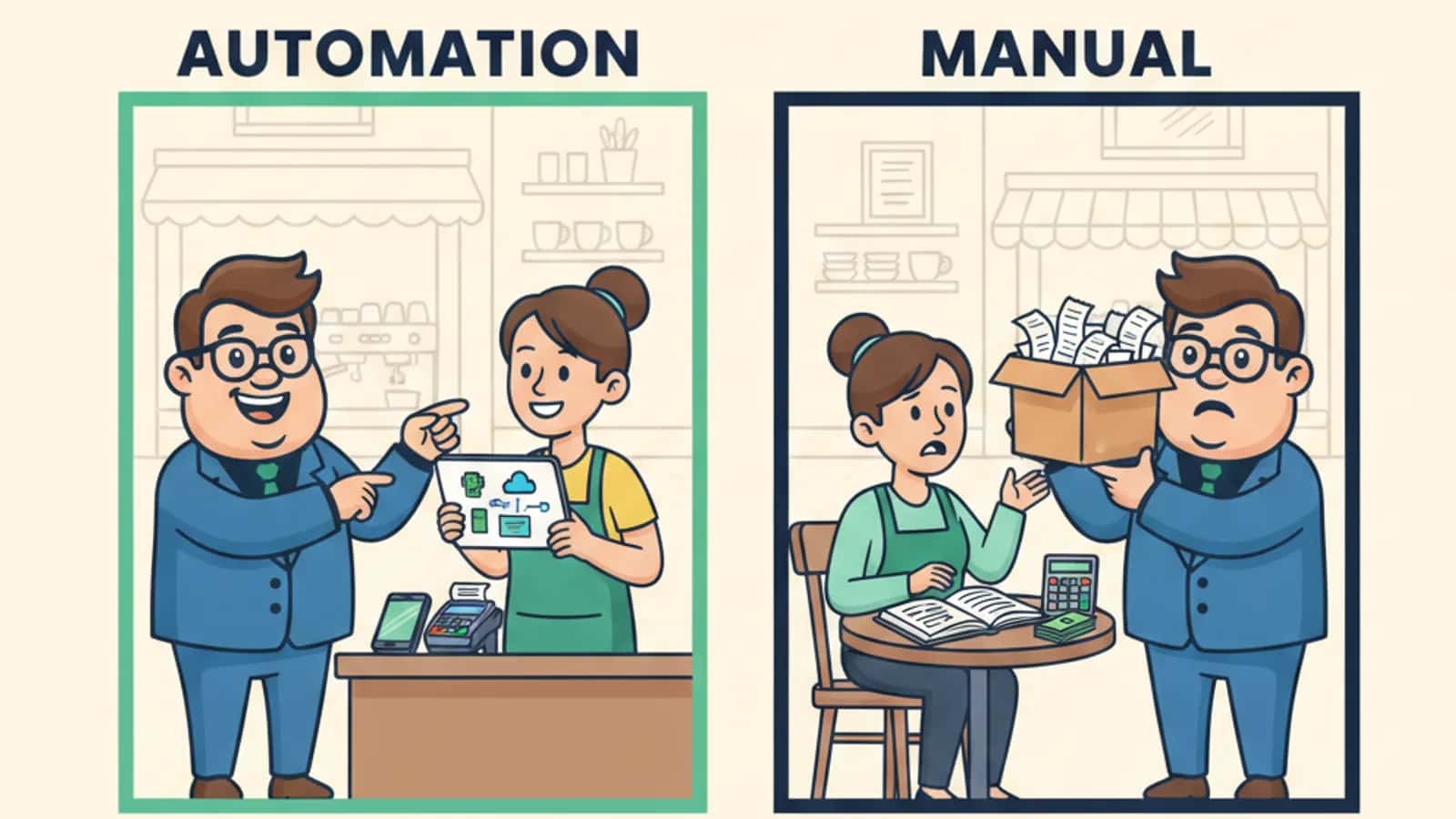
Manual reconciliation means someone, usually you, your bookkeeper, or a finance admin, downloads a card statement, finds the matching receipt for each line, checks the amounts, codes each transaction to the right account, and enters it into your accounting software. It's slow, error-prone, and scales badly as transaction volumes grow.
Automated reconciliation replaces most of those steps with software. Card transactions import automatically via a direct feed. Receipts arrive through a mobile app, email forward, or SMS photo. OCR extracts the data. Matching rules pair each receipt to the right transaction. Exceptions, mismatches, missing receipts, policy breaches, get flagged for human review rather than requiring manual review of everything.
The practical difference: manual reconciliation treats every transaction as a task. Automated reconciliation treats every transaction as data, and only surfaces the ones that need attention.
Who Should Use Automated Receipt and Reconciliation Systems
Any UK business spending regularly on a business credit card benefits from automation, but the case is strongest for:
- Growing SMEs
- issuing cards to multiple staff or contractors, where receipt chasing becomes a full-time job
- Agencies and e-commerce brands
- with high transaction volumes across ad spend, subscriptions, and supplier payments
- Sole traders
- who want clean records for self-assessment without spending weekends on admin
- Finance teams
- preparing for audit or VAT returns who need a reliable, timestamped audit trail
It's less critical for businesses making only a handful of card transactions per month and reconciling them manually in under an hour. But even at low volumes, the discipline of automated capture builds good habits before transaction volumes grow.
If you're funding stock purchases, covering supplier invoices, or running team ad spend on a business credit card, automation pays back quickly. For context on managing your broader financial health, the Small Business Financial Health Masterclass covers the wider picture.
Best Software Tools for Automating Business Credit Card Reconciliation
The market in 2026 has converged around platforms that combine card issuance, receipt capture, and accounting sync in one stack. The main options UK businesses should consider:
Expensify
- Best For
- SMEs, frequent travellers
- Accounting Integration
- Xero, QuickBooks, Sage
- Approximate Cost
- From ~£5/user/month
Zoho Expense
- Best For
- Businesses already on Zoho
- Accounting Integration
- Xero, QuickBooks, Zoho Books
- Approximate Cost
- From ~£3/user/month
Spendesk
- Best For
- Teams with multiple cards
- Accounting Integration
- Xero, NetSuite, Sage
- Approximate Cost
- Custom pricing
Payhawk
- Best For
- UK/EU businesses
- Accounting Integration
- Xero, QuickBooks, NetSuite
- Approximate Cost
- Custom pricing
Ramp / Brex
- Best For
- US-focused but available
- Accounting Integration
- QuickBooks, NetSuite, Xero
- Approximate Cost
- Free tier available
Sage Expense Management (Fyle)
- Best For
- Sage accounting users
- Accounting Integration
- Sage, Xero, QuickBooks
- Approximate Cost
- From ~£8/user/month
Zoho's corporate card module notifies employees the moment a transaction posts and prompts them to upload a receipt immediately. Sage Expense Management sends an SMS alert for each new card charge and lets the employee reply with a photo, OCR then extracts merchant, date, amount, and category without any manual entry. For more detail, see our guide to preventing business credit card fraud and employee misuse.
Choose based on your accounting software first. If you're on Xero, pick a tool with a native Xero integration. Don't let a flashy UI pull you towards a platform that requires a manual export to sync with your books.
How Does Receipt Scanning and OCR Technology Work for Expense Tracking
OCR (Optical Character Recognition) converts a photo of a receipt into structured data, merchant name, date, total, VAT amount, and line items where possible. You take a photo on your phone, the software reads it, and the relevant fields populate automatically.
Modern platforms go further than basic OCR. AI matching layers compare the extracted data against pending card transactions and suggest, or confirm, the match automatically. If the receipt shows £47.50 at a supplier and your card feed shows a £47.50 charge from the same merchant on the same date, the system matches them without human input.
The practical workflow looks like this:
- Employee makes a purchase on their business credit card
- They photograph the receipt immediately using the expense app
- OCR extracts merchant, date, amount, and VAT
- The platform matches the receipt to the card transaction from the feed
- The transaction is auto-categorised based on merchant type or pre-set rules
- Any mismatch or policy breach is flagged for review
Receipt quality matters. Faded thermal receipts, foreign currency receipts, and handwritten notes are harder for OCR to read accurately. Most platforms let employees add manual notes when OCR confidence is low.
Can You Automate Credit Card Reconciliation With Your Accounting Software
Yes, and this is where the real efficiency comes from. Xero, QuickBooks, and Sage all support direct bank and card feeds, which means transactions import automatically without manual downloads. Connecting an expense management tool on top means receipts, categories, and GL codes arrive in your accounting software already matched.
The recommended end-to-end workflow for UK businesses:
- Direct card feed, transactions import daily or in real time
- Mobile OCR receipt capture, receipts matched on arrival
- Intelligent matching rules, auto-pair receipts to transactions
- Chart of accounts mapping, categories assigned automatically
- Scheduled accounting sync, approved transactions post to Xero/QuickBooks/Sage with correct coding
For VAT-registered businesses, this matters beyond convenience. Accurate GL coding and receipt retention support VAT reclaim and reduce the risk of errors on your VAT return. Your accountant will also close the books faster if every card transaction arrives pre-coded and matched.
How to Automate Business Credit Card Receipts and Reconciliation: Step-by-Step
Here's how to automate business credit card receipts and reconciliation from scratch. This applies whether you're setting it up for yourself or for a team.
- 1
Audit your current card setup
List every business credit card in use. Note which cards staff are using and whether any personal cards are covering company spend (a common problem worth fixing first).
- 2
Choose your expense management platform
Match the tool to your accounting software. Confirm it supports a direct feed from your card provider.
- 3
Connect your card feed
Most platforms connect via Open Banking or a direct integration with the card issuer. Transactions should start importing within 24 hours.
- 4
Set up receipt capture channels
Enable mobile app capture, email forwarding (e.g. [email protected]), and SMS photo submission where available. The more channels you offer, the fewer excuses for missing receipts.
- 5
Configure matching rules
Set rules for auto-matching based on amount, merchant, and date tolerance. Decide what triggers a flag, amount variance above £1, unrecognised merchants, transactions above a set threshold.
- 6
Map to your chart of accounts
Assign default categories to merchant types. Fuel = travel expenses. Software subscriptions = IT costs. This reduces manual coding to edge cases.
- 7
Connect to your accounting software
Set up the sync schedule, daily is usually sufficient for most UK SMEs. Confirm VAT codes map correctly.
- 8
Train your team
A five-minute walkthrough of the mobile app is usually enough. The key habit: photograph the receipt before you leave the till, not three weeks later.
Common Mistakes When Setting Up Automated Credit Card Reconciliation
Not connecting a direct card feed.
Relying on manual statement imports defeats most of the automation. Get the live feed working first.
Skipping chart-of-accounts mapping.
If categories aren't pre-mapped, every transaction still needs manual coding. Set defaults by merchant category code (MCC) from day one.
Ignoring exception alerts.
Automation flags mismatches and missing receipts for a reason. If the finance team stops reviewing exceptions, errors accumulate and the audit trail breaks down.
Issuing cards without spend controls.
Automation works best when each card has defined limits and permitted merchant categories. Without controls, you're reconciling surprises rather than expected spend.
Using personal cards for business spend.
This is one of the most common friction points. Personal card transactions can't connect to a business expense feed cleanly, and the data ends up in a manual process anyway. If staff are covering company spend on their own cards, the fix is issuing proper employee cards with controls, not a better spreadsheet. Compare this with the practical guide to employee business credit cards.
How Much Does Automated Receipt Management Software Cost
Entry-level tools cost roughly £3,£10 per user per month for UK businesses. Mid-tier platforms with deeper ERP integration and multi-card support typically run £15,£30 per user per month. Enterprise platforms with custom pricing are aimed at businesses with 50+ cardholders.
Some corporate card platforms include expense automation as part of the card product at no extra charge, particularly newer spend-management cards. This bundled model is worth comparing against standalone expense tools if you're also reviewing your card provider.
For small UK businesses, the cost of automation is almost always lower than the staff time spent on manual reconciliation. A finance admin spending four hours a month on card reconciliation at £15/hour costs £60/month in labour alone, more than most automation tools charge per user.
If you're also reviewing your credit card options, the business credit score guide explains what affects your eligibility before you apply.
Does Automated Receipt Capture Work With All Credit Card Companies
Not automatically. Automated receipt capture works with any card, the receipt photo is independent of the card issuer. But automated card feed import depends on whether your card provider supports Open Banking or a direct API integration with your expense platform.
Most major UK business card providers support Open Banking feeds. Newer spend-management cards (Payhawk, Spendesk, and similar) are built with direct integrations as a core feature. Some older high-street bank cards may require a manual CSV export rather than a live feed, which reduces the automation benefit.
Virtual cards are particularly well-suited to automation. Each virtual card can be assigned to a specific project, supplier, or team member, so every transaction arrives pre-labelled. Matching is faster because the card itself carries context. If your current card provider doesn't offer virtual cards, that's worth factoring into any card comparison.
How to Reconcile Receipts That Don't Match Your Credit Card Statement
Mismatches happen for several reasons: currency conversion differences, tips added after the original charge, split payments, or simple OCR errors. Here's how to handle them:
- Small amount variances
- (under £1,£2): Set a tolerance rule in your platform so these auto-match rather than flagging every time
- Currency differences
- Ensure your platform handles foreign currency receipts and applies the correct exchange rate at the transaction date
- Duplicate charges
- Use duplicate detection tools, several 2026 platforms flag these automatically before they reach the books
- Merchant name mismatches
- Some card statements show a parent company name rather than the trading name on the receipt. Build a merchant alias list in your platform
- Missing line items
- If the receipt total matches but VAT breakdown is missing, flag for manual VAT coding rather than rejecting the whole match
When a mismatch can't be resolved automatically, the transaction routes to an approver with both the receipt image and the card transaction visible side by side. Most platforms handle this in a mobile-friendly approval workflow.
What Happens If a Receipt Is Missing or Illegible During Automation
A missing receipt becomes an exception, not a blocker. The card transaction still imports and sits in a "pending" or "unmatched" queue. The platform (depending on your settings) can:
- Send an automated reminder to the cardholder to submit the receipt
- Allow a manager to approve the transaction with a written justification in place of a receipt
- Flag the transaction for manual review before it posts to the accounting software
For HMRC purposes, a business can sometimes use a bank or card statement as supporting evidence where a receipt is genuinely lost, but this is a fallback, not a substitute for a proper receipt capture process. For VAT reclaim specifically, a valid VAT receipt is required; a card statement alone is not sufficient.
Illegible receipts (faded thermal paper, blurred photos) can often be re-submitted with a clearer image. If the original is genuinely unreadable, the same exception workflow applies.
How Long Does It Take to See Benefits From Automating Receipts
Most UK businesses see measurable time savings within the first month. The setup itself, connecting a card feed, configuring matching rules, mapping accounts, typically takes one to two days. After that, the first full reconciliation cycle under automation is usually the moment the time saving becomes obvious.
The bigger gains compound over time:
- 1
Month 1-2
Fewer manual entries, faster statement matching
- 2
Month 3-6
Consistent receipt capture habits across the team, exception rate drops
- 3
Month 6+
Month-end close shortens significantly; VAT returns become faster to prepare; audit trail is clean and searchable
Businesses that also upgrade their card at the same time, moving to a card with virtual card support, spend controls, and a direct feed, tend to see faster results because the card and the software are designed to work together.
If you're reviewing your card options alongside setting up automation, a 2-minute eligibility check at Funding Fred shows which business credit cards you're likely to qualify for, no hard credit search, no obligation. Leading card providers on the panel offer limits from £1k to £250k+, virtual cards, employee cards, and up to 56 days interest-free.
Next steps
Chasing receipts at month-end is a solvable problem. The tools to automate business credit card receipts and reconciliation are accessible, affordable, and, for most UK SMEs, quick to set up. The core workflow is straightforward: connect a live card feed, capture receipts via mobile OCR, let matching rules handle the pairing, and sync approved transactions to your accounting software daily.
The businesses that get the most from automation are usually the ones that also fix the underlying card setup at the same time. If staff are using personal cards for company spend, if your current card has no virtual card support, or if your limit hasn't moved in years, the admin problem is partly a card problem. Read company credit card policies: the key points for the key considerations.
Next steps:
- List every card currently in use for business spend, including personal cards covering company purchases
- Pick an expense platform that integrates natively with your accounting software
- Connect your card feed and configure matching rules before the next statement cycle
- Review your card options, if your current provider doesn't support a live feed or virtual cards, it may be time to compare
A 2-minute eligibility check at Funding Fred matches UK businesses with leading card providers offering limits from £1k to £250k+, virtual cards, employee cards, cashback, and up to 56 days interest-free. No hard credit search. No obligation. Check Eligibility Now.
Frequently asked questions
What Is Credit Card Receipt Automation and Why Do You Need It?
Credit card receipt automation is the process of capturing, categorising, and matching expense receipts to card transactions without manual data entry. Instead of staff emailing PDFs or stuffing paper receipts in envelopes, software handles the extraction and matching automatically.
What's the Difference Between Receipt Automation and Manual Reconciliation?
Manual reconciliation means someone, usually you, your bookkeeper, or a finance admin, downloads a card statement, finds the matching receipt for each line, checks the amounts, codes each transaction to the right account, and enters it into your accounting software. It's slow, error-prone, and scales badly as transaction volumes grow.
Who Should Use Automated Receipt and Reconciliation Systems?
Any UK business spending regularly on a business credit card benefits from automation, but the case is strongest for:
How Does Receipt Scanning and OCR Technology Work for Expense Tracking?
OCR (Optical Character Recognition) converts a photo of a receipt into structured data, merchant name, date, total, VAT amount, and line items where possible. You take a photo on your phone, the software reads it, and the relevant fields populate automatically.
Can You Automate Credit Card Reconciliation With Your Accounting Software?
Yes, and this is where the real efficiency comes from. Xero, QuickBooks, and Sage all support direct bank and card feeds, which means transactions import automatically without manual downloads. Connecting an expense management tool on top means receipts, categories, and GL codes arrive in your accounting software already matched.
How to Automate Business Credit Card Receipts and Reconciliation: Step-by-Step?
Here's how to automate business credit card receipts and reconciliation from scratch. This applies whether you're setting it up for yourself or for a team.
Written by
The Funding Fred Editorial Team creates plain-English guides to help business owners understand funding options, eligibility, and application readiness before they compare finance options.
Reviewed by
UK business finance content reviewer
Robert reads our UK business finance guides before they go live, checking each one is accurate, easy to follow, and reflects how lending actually works today — not how a brochure says it should. He's listed on the FCA Register, approved as an SMF3 (AR) Executive Director at Switcha Limited, and connected to Lucky Growth Partners Ltd through its appointed representative relationship, so the regulated detail gets a properly qualified second read.
Sources
- Corporate Card Reconciliation Automation
- Top Virtual Cards For Business Expenses
- How To Stop Chasing Employees For Receipts Match Receipts To Corporate Card Charges In 7 Steps 2026
- Corporate Cards
- Corporate Card Software
- Best Spend Management Corporate Cards Software For Small Business In The Us
- Sage Expense Management
- Top 10 Best Duplicate Invoice Detection Tools 2026